
How to Create a WooCommerce Popup to Increase Sales
Popups remain one of the most effective ways to recover abandoning visitors, showcase offers at the right moment, and gently guide shoppers toward checkout. When implemented...

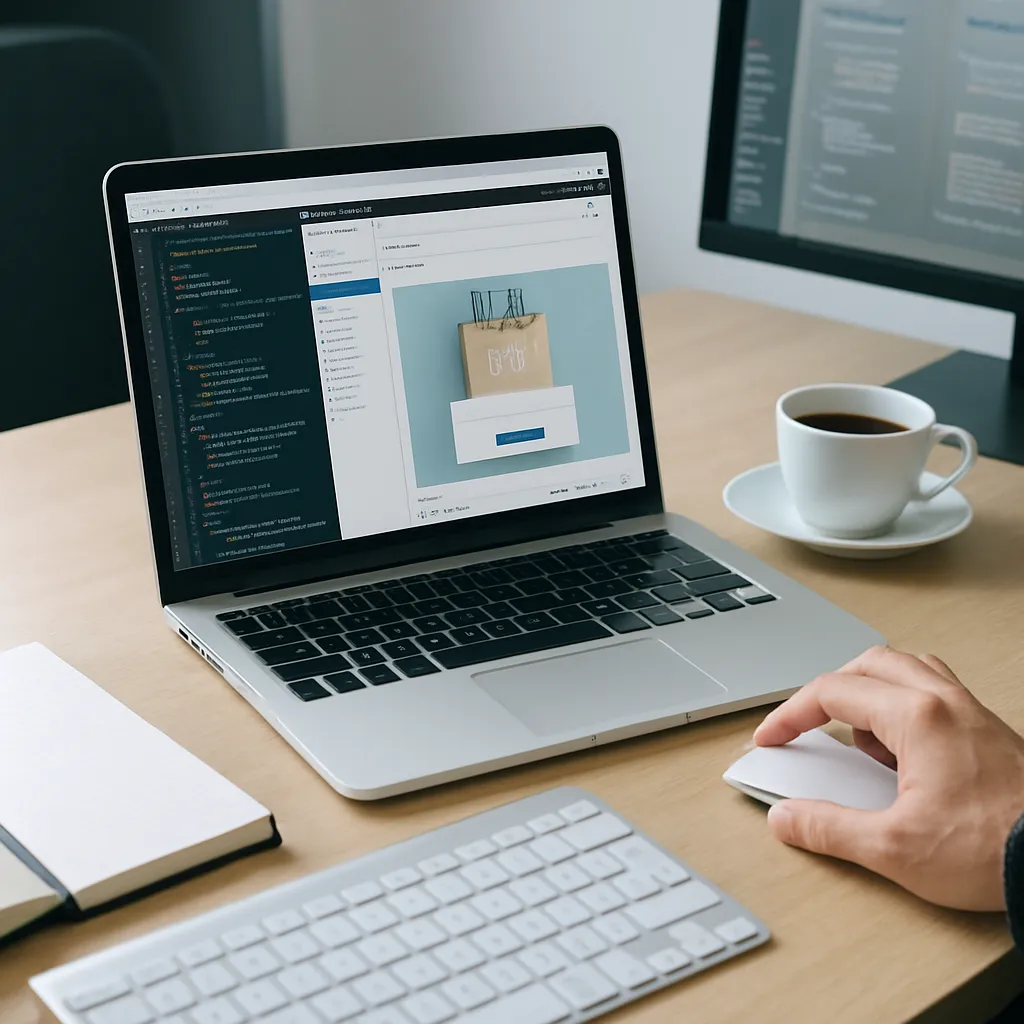
 Content entirely generated by artificial intelligenceThis content was entirely generated by artificial intelligence, with no human element (other than the prompt).
Popups remain one of the most effective ways to recover abandoning visitors, showcase offers at the right moment, and gently guide shoppers toward checkout. When implemented correctly, they can significantly boost conversions without degrading the user experience or slowing down your store.
Why Popups Work So Well in Online Stores
Before diving into setup, it’s important to understand why popups are still a powerful tactic for a modern online shop. Used strategically, they can:
- Capture high-intent visitors right before they leave or when they show strong purchase signals (e.g., viewing multiple products).
- Reduce cart abandonment by offering a targeted incentive at checkout or just before exit.
- Grow your email list with timely opt-in forms that feed directly into your email marketing or marketing automation tools.
- Promote time-sensitive deals like flash sales, seasonal promotions, and product launches.
- Upsell and cross-sell by recommending related products or bundles based on what’s already in the cart.
The key is aligning the popup’s message and timing with the customer journey. A generic discount code thrown at everyone the moment they land on your store isn’t nearly as effective as a well-timed offer based on behavior.
Types of Popups That Drive More Sales
Different popup formats serve different business goals. Consider using a mix of the following types instead of relying on a single, catch-all popup.
Exit-Intent Offers
An exit-intent popup appears when the user shows signs of leaving the site, such as moving the mouse toward the browser’s close button or the address bar. These are ideal for:
- Offering a last-minute discount (e.g., 10% off) to first-time shoppers.
- Promoting a free shipping threshold for orders above a certain amount.
- Encouraging visitors to save their cart by entering their email before leaving.
Because exit-intent popups only appear when the visitor is about to leave, they’re perceived as less disruptive and can recover a portion of otherwise lost revenue.
Cart and Checkout Popups
Cart-level popups target users who have already added products, making them some of the highest-converting messages you can run. Use these to:
- Upsell complementary products, such as warranties, accessories, or add-ons related to cart contents.
- Encourage higher order values by displaying how much more the shopper needs to spend to unlock free shipping or a bonus.
- Reassure customers with trust elements like guarantees or security badges when they reach checkout.
Because these are shown to visitors with clear purchase intent, even small tweaks can yield meaningful revenue increases.
Coupon and Discount Popups
Discount popups are classic, but they need to be handled carefully to avoid training customers to wait for deals. Consider:
- Offering new subscriber discounts in exchange for an email address.
- Limiting the popup to first-time visitors or specific traffic sources, such as paid campaigns.
- Setting exclusions or minimum order values so discounts remain profitable.
By tying the coupon to clear customer actions (signup, cart value, or campaign source), you ensure that discounts are strategic, not random giveaways.
Product Recommendation Popups
Well-placed recommendations can subtly increase average order value. Consider using popups to:
- Suggest related items on product pages based on the item being viewed.
- Show “frequently bought together” bundles when the user adds a product to the cart.
- Highlight best sellers or trending products in a category the user is browsing.
These work especially well when combined with dynamic rules that adapt the content to the customer’s browsing behavior.
Email Capture and Lead Generation Popups
Not every visitor will buy on the first visit, but most users will accept value if the offer is right. Lead-generation popups can:
- Offer a discount for newsletter signups.
- Provide downloadable guides or size charts for complex products.
- Invite visitors to join a loyalty or rewards program.
These popups contribute long-term value by building an audience you can reach with retargeting emails and future offers.
Key Elements of a High-Converting Popup
Rather than simply enabling a generic overlay, you should design each popup to serve a specific purpose. Focus on these core elements:
Clear and Compelling Offer
Define what makes the popup worth the interruption. Examples include:
- A straightforward percentage or dollar discount.
- Free shipping if the user completes an order during the session.
- A bundle deal that saves money on multiple products.
- Exclusive early access to new collections or limited stock.
Make the benefit obvious in the headline and reinforce it in the body text.
Attention-Grabbing Yet On-Brand Design
The popup should stand out from the page but still feel consistent with the rest of your store. When configuring the design:
- Use your brand colors and fonts where possible.
- Keep layouts clean and mobile-friendly with plenty of white space.
- Ensure buttons look clickable and contrast well with the background.
- Add product images or icons when relevant to quickly communicate the offer.
A cluttered or off-brand popup tends to look spammy and can erode trust.
Concise Copy and Strong Call to Action
Most visitors will only glance at the popup for a second or two. You need to communicate the value quickly:
- Use short, benefit-driven headlines.
- Highlight urgency or scarcity if it’s genuine (e.g., “Limited-time sale”).
- Write a clear call to action such as “Get My Discount” or “Add to Cart”.
- Include minimal but useful extra details, such as coupon restrictions.
Every word should support the intended action; anything extra is a distraction.
Smart Targeting and Triggers
How and when the popup appears matters as much as its content. Some effective trigger strategies include:
- Time-on-page: Show a popup after a user spends a certain number of seconds on key pages.
- Scroll depth: Trigger the popup once a visitor has scrolled 50–70% down a page.
- Page-level targeting: Limit popups to specific product categories, cart, or checkout pages.
- Exit-intent detection: Capture visitors as they are about to leave.
- Cart conditions: Show special offers when the cart value reaches a threshold.
Smart triggers prevent popup fatigue and make each interaction more relevant, which translates into better conversion rates.
Mobile-Friendly Experience
Many online stores see the majority of their traffic from smartphones, so mobile popups must be treated carefully. To stay user-friendly and compliant:
- Use responsive layouts that fit within small screens without requiring pinch-zooming.
- Ensure the close button is easy to tap and clearly visible.
- Keep copy short and avoid full-screen blocks that prevent navigation, especially on landing pages.
- Test your popups on multiple devices and browsers to avoid layout glitches.
A good rule is: if the popup feels annoying on your own phone, it will likely annoy your customers too.
Choosing the Right Popup Tool for Your Store
There are numerous ways to add popups, ranging from dedicated extensions to full marketing suites. When selecting a popup solution, consider:
- Integration with your store: Native support for products, carts, coupons, and customer data.
- Visual editor: A simple drag-and-drop builder to design popups without code.
- Targeting and triggers: Options for exit-intent, scroll, cart conditions, and page-level rules.
- Analytics and A/B testing: Conversion data and split testing for optimization.
- Email and CRM integrations: Direct connections to your email marketing tools.
- Performance: Minimal impact on page speed and Core Web Vitals.
Prioritize tools that are actively maintained, well-reviewed, and compatible with your existing theme and extensions.
Step-by-Step: Building a Sales-Focused Popup Campaign
The most effective popup campaigns follow a simple, repeatable process. Here’s a workflow you can apply, regardless of your chosen plugin or platform.
1. Define Your Objective
Each popup should have a single, measurable goal. Examples include:
- Increase email signups by a certain percentage.
- Raise average order value by promoting bundles.
- Reduce cart abandonment on checkout pages.
- Drive attention to new or seasonal products.
With a clear objective, you can tailor the offer, design, and trigger rules appropriately and later measure success.
2. Decide Where and When It Should Appear
Next, map the popup to the specific customer journey.
- For cart recovery, limit the popup to cart and checkout pages.
- For list building, show the popup on high-traffic product or blog pages after a short delay.
- For upsells, trigger the popup when a product is added to the cart or when visiting specific categories.
- For exit-intent offers, show it on any page where bounce rate is high.
This ensures that users only see relevant messages aligned with their current intent.
3. Create the Popup Design
Using your chosen builder, start with a template or blank canvas and:
- Add a headline that states the main benefit (e.g., “Save 10% on Your First Order”).
- Include a short supporting description explaining how to redeem the offer.
- Insert an email field or button depending on your objective.
- Place a primary call-to-action button with action-focused text.
- Ensure a clear close icon so users can easily dismiss the popup.
Preview the design on both desktop and mobile and adjust sizing and spacing until everything is easy to read and interact with.
4. Configure Targeting and Conditions
After designing the popup, set rules to determine who sees it and under what circumstances:
- Visitor behavior: Time on page, number of pages visited, scroll depth.
- Content rules: Specific URLs, product categories, or tags.
- User status: New vs. returning visitors, logged-in customers, or subscribers.
- Cart conditions: Cart total, items in cart, or specific product presence.
- Frequency caps: Limit how often the same user sees the popup (e.g., once per session).
Good targeting maintains user trust, reduces annoyance, and improves overall performance.
5. Connect to Your Marketing Tools
If the popup collects emails or interacts with customer data, integrate it with your marketing stack:
- Connect to an email service provider so new contacts are added automatically.
- Tag or segment subscribers based on which popup they signed up through (e.g., “Cart Discount Offer”).
- Trigger welcome or follow-up email sequences that deliver coupon codes or recommendations.
This turns each signup into a complete funnel rather than a simple contact capture.
6. Launch and Test
Once everything is configured, enable the popup and monitor the initial performance. Pay attention to:
- Conversion rate: The percentage of users who take the desired action.
- Close rate: How often users dismiss the popup without interaction.
- Bounce rate and session duration on pages where the popup appears.
- Revenue impact: Changes in order values, number of orders, or recovered carts.
Use this data to identify obvious issues, such as triggers firing too frequently or the offer being unclear.
7. Optimize With A/B Testing
To continually improve performance, run simple experiments by changing one variable at a time:
- Headline and copy: Test different value propositions or tones.
- Offer type: Compare a discount vs. free shipping vs. a bonus gift.
- Trigger timing: Adjust time-on-page or scroll depth to find the sweet spot.
- Design variations: Try alternative layouts or button colors.
Keep winning variations and retire underperforming ones. Over time, small incremental gains can lead to significant increases in sales and signups.
Best Practices to Keep Popups User-Friendly and Compliant
To maintain a positive customer experience and adhere to best practices, follow these guidelines.
Respect User Intent
A popup should never feel like it is blocking the user from doing what they came to your store to do. To avoid frustration:
- Avoid triggering an overlay immediately on page load, especially for first-time visitors.
- Never show a popup that hides critical navigation with no obvious way to dismiss it.
- Do not bombard users with multiple popups in the same session.
Focusing on relevance rather than volume will almost always produce better results.
Comply With Privacy and Consent Requirements
If you’re collecting personal data or running remarketing campaigns, ensure your popups are aligned with privacy regulations:
- Explain what users are signing up for and how you will use their email address.
- Link to your privacy policy in or near the popup when collecting data.
- Use double opt-in where appropriate for email signups, depending on your jurisdiction.
Transparent communication builds trust and reduces spam complaints or unsubscribes.
Monitor Performance and Page Speed
Some popup solutions can load unnecessary scripts or images that impact your site’s performance. To keep your store fast:
- Audit your site with performance tools after enabling new scripts.
- Optimize images used within popups and avoid heavy animations.
- Disable or remove any inactive campaigns that still load assets.
Balancing conversion optimization with performance ensures a smooth browsing and checkout experience.
Real-World Popup Ideas to Boost Revenue
If you need inspiration for campaigns that work in practice, consider implementing one or more of these proven concepts.
First-Time Buyer Discount
Show a timed popup to new visitors after they have viewed a few pages, offering a modest discount on their first purchase in exchange for an email. This grows your list and nudges undecided shoppers to place an initial order.
Free Shipping Reminder
Once a visitor’s cart reaches a certain value, trigger a popup showing that they have unlocked free shipping. Conversely, when the cart is just below the threshold, display a reminder like “Add $X more to your cart to get free shipping,” along with a link to a product category.
Last-Chance Cart Saver
On the cart or checkout page, use exit-intent detection to offer a small, time-limited incentive for completing the order now. This can

I’ve been leading Grafiduo since 2010 as the CEO. Together with my development team, I create e-commerce solutions, websites, and digital designs that combine functionality with aesthetics. I focus mainly on WordPress, WooCommerce, and Prestashop, helping businesses grow through well-crafted online experiences.
 Content entirely generated by artificial intelligenceThis content was entirely generated by artificial intelligence, with no human element (other than the prompt).
How to Create Custom Login Page for WordPress
 Content entirely generated by artificial intelligenceThis content was entirely generated by artificial intelligence, with no human element (other than the prompt).
How to Move a Site from WordPress Multisite to Single Install