
Label AI content on your website — in accordance with Article 50 of the AI Act
Manual labelling of photos, posts and pages generated or modified by AI. Official European Commission icons or your own badge.
Problems
What’s not working today.
It is unclear what has been generated by AI
How is a visitor supposed to know which photo or post was created with the help of artificial intelligence?
Manual annotations are lost
Annotations entered manually into the content are lost when the page is edited or restructured.
Detectors make mistakes
Automatic AI detectors make errors and do not give the editorial team control over the decision.
Lack of consistent labelling
There is no single tag used consistently across the media library, posts and product gallery.
Solution
One plugin, three types of AI labelling
- A simple choice of labelling options for photos, videos, posts and pages
- AI (basic) — AI was involved in the creation of the content
- AI Generated — content generated entirely by AI
- AI Modified — authentic material partially modified by AI
- Two options: the European Commission’s official icons or your own badge

Features
Everything you need.

Media tagging
Manual tagging of photos and videos in the Media Library.

Posts and pages
Any public content type, including WooCommerce products.

Official EU icons
4 variants: black / white, solid / semi-transparent.

Custom badge
Forced underlining of all links.

4 badge positions
Place the badge in any corner of a photo.

Informative tooltip
Full sentence on hover or when focused — accessible via the keyboard.

Lightbox and gallery
Visible in the lightbox and WooCommerce gallery (PhotoSwipe).

‘AI’ column
Dedicated column in the post list and Media Library.

Bulk actions
Tag or untag multiple files at once.

Before or after the content
AI information displayed before or after the post content — your choice.

WPML and Polylang
Badge and tooltip texts as translatable strings.

Accessibility
aria-label, text for screen readers, clear focus, WCAG.
Ready to get started?
Take a look at the packages and choose the one that suits your project.
HOW IT WORKS
Step by step.
Expand content
Select the photo, post or page you want to tag.
- Works in the Media Library and the post editor
- Any public content type, including WooCommerce products
- You can tag a single file or the entire piece of content
Select the type of label
Choose: AI (basic), AI Generated or AI Modified.
- AI (basic) — AI was involved in the creation of the content
- AI Generated — the content was generated entirely by AI
- AI Modified — the content was partially modified by AI
Select display mode
Official European Commission icons or your own text badge.
- 4 variants of official EU icons
- Custom text, background colour and text colour
- Live preview of three badge types
The plugin displays the badge
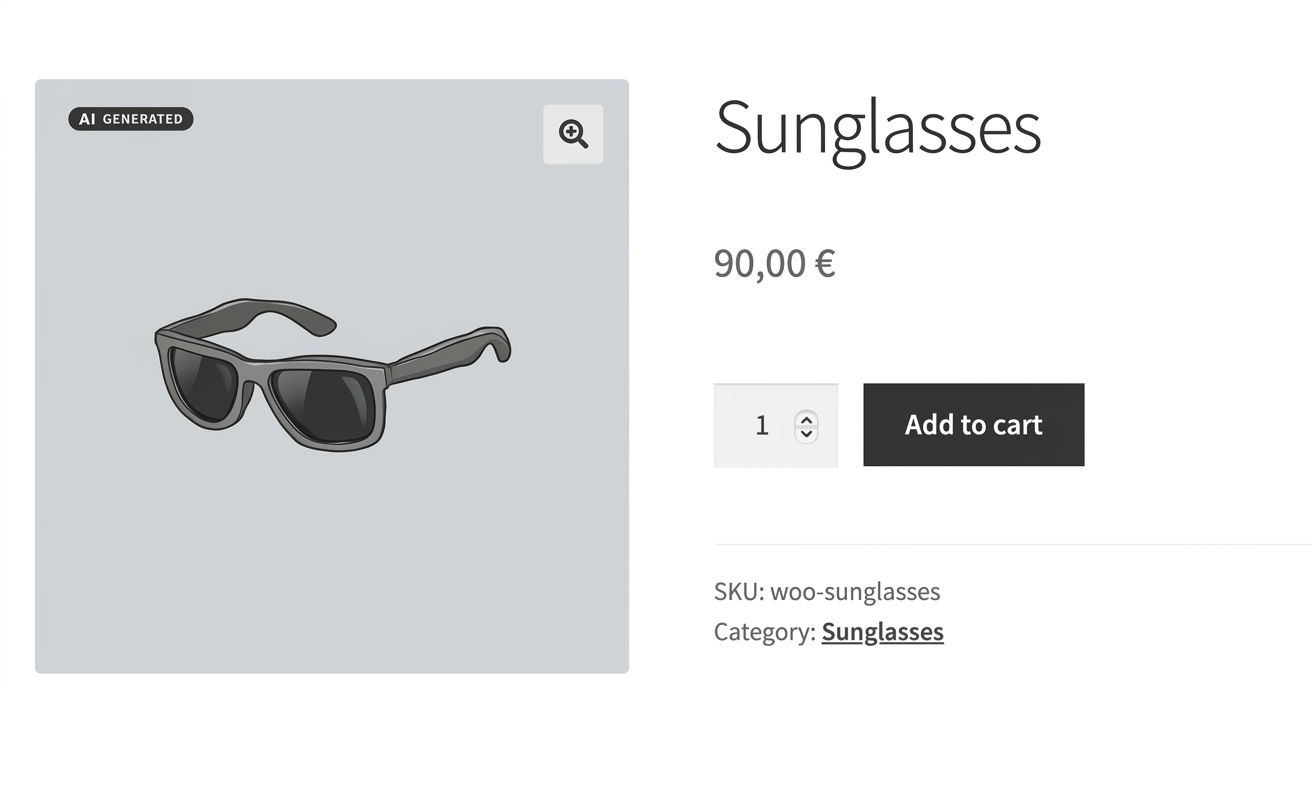
The badge appears automatically on the front end, including in the lightbox.
- Positioned in the corner of the photo
- Visible in the WooCommerce product gallery
- Consistent appearance across the entire site
The visitor sees the following information
An icon or badge with a tooltip explaining the AI’s involvement.
- Full explanatory text in the tooltip
- Accessible on hover and via keyboard focus
- Text readable by screen readers

ADMIN PANEL
Everything in the WordPress dashboard
Settings → AI Flag Tiny, with sections for labelling options, custom badges, posts and tooltips, plus a preview of three labelling styles.
- Labelling method: Custom or official EU icons
- Custom badge — background and text colour picker
- Settings for posts and pages, and tooltip content
- Live preview of three types of AI labelling
Compliance
Designed to meet the transparency requirements of the AI Act
From 2 August 2026, the provisions of Article 50 of the EU AI Act (Regulation (EU) 2024/1689) concerning the labelling of content generated or modified by artificial intelligence will come into force. This obligation applies to synthetic content (images, audio, video, text) and deepfake material. The plugin helps implement the required labelling — the decision regarding the type of content and the final assessment of compliance is made by the publisher, not by an algorithm.
This is not legal advice. Compliance depends on the context of the publication, the type of content and the website’s configuration. The plugin provides a labelling tool, not an automated legal assessment.
PRICING
Choose the right plan
Starter
For a single WordPress site.
- 1 installation
- Official EU icons
- Custom badge
- Tagging media and posts
Pro
For WooCommerce shops and publishers.
- 3 installations
- Lightbox and WooCommerce gallery
- Bulk actions
- WPML / Polylang
- Priority support
Agency
For agencies serving multiple clients.
- Unlimited installations
- White label
- Implementation support
- SLA 24h
- Dedicated account manager
All prices are net prices (excluding VAT). Annual settlement.
If you need assistance with setting up the plugin, you can take advantage of our implementation service. For an additional fee of 30 EUR (gross), we will install and configure the plugin and verify that it is working correctly.
FAQ
FAQ dla AI Content Flag Tiny
No. The labels are added manually by the editorial team — this is a deliberate decision by the publisher, not an automatic assessment by an algorithm. This gives you full control over what is labelled and how.
Yes. You can choose between the official European Commission icons (4 options) or your own text badge with a background and text colour of your choice, as well as a tooltip.
Yes. The label also appears in the WooCommerce product gallery and in the lightbox (PhotoSwipe).
Yes. The text in badges and tooltips are localisable strings, fully compatible with WPML and Polylang.
Yes. Bulk actions allow you to select or deselect multiple files at once.
Yes. The badge or icon remains visible even when the photo is enlarged in the lightbox and in the product gallery.
Yes. You can set the tooltip text in the panel, and in multilingual environments you can translate it using WPML or Polylang.
Ensure your website complies with the requirements of Article 50 of the AI Act
Implement Tiny AI Content FlagInterested in This Plan?
Leave your name and email address, and we'll get back to you with more details.