
WCAG Accessibility Widget for WordPress
Add tools that make your website easier to use, including contrast adjustment, text size controls, link highlighting, animation pause, and keyboard shortcuts.
Problems
What’s not working today.
Improved Accessibility for All Users
Customization tools that help visitors adapt the website to their individual accessibility needs.
WCAG 2.1 AA/AAA Support
Features designed to help your website meet higher accessibility compliance standards.
Ready-to-Use Widget
No Redesign Required Works out of the box without modifying your theme or website structure.
WordPress Admin Configuration
Full control over colors, widget position, accessibility modes, and keyboard shortcuts directly from the WordPress dashboard.
Solution
All Accessibility Modes in One Widget
- Floating accessibility button available on every page
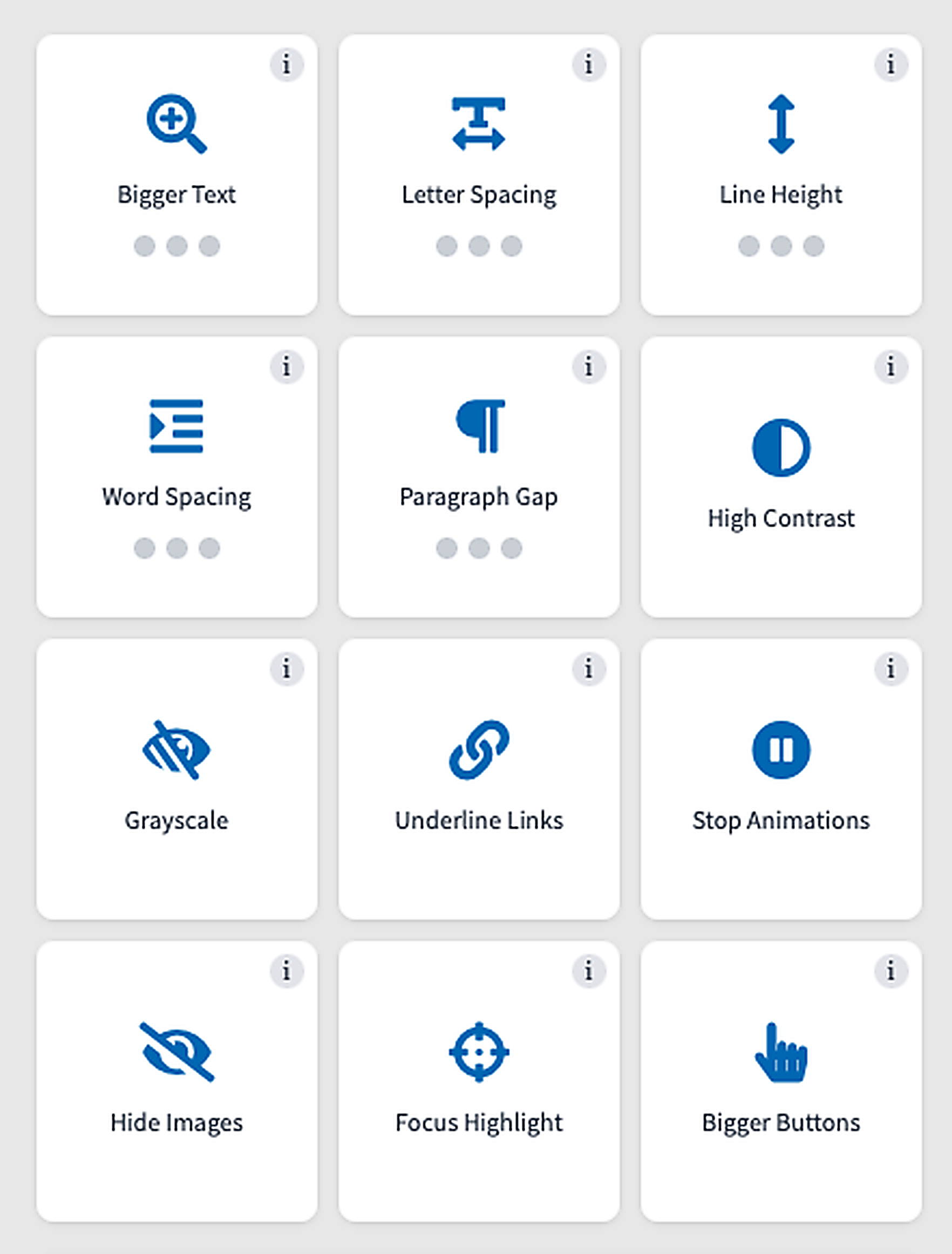
- Panel with 8 accessibility modes: contrast, text adjustments, animations, and more
- Keyboard shortcuts and full screen reader support
- User preferences saved in localStorage
- Full-screen mobile mode for easy access on smartphones and tablets

Features
Everything you need.

Floating Widget
Drag-and-drop positioning with automatic snapping to screen corners.

Font Size Control
Smooth text scaling from 80% to 160%.

Smart Contrast
High-contrast mode and grayscale display options.

Link Highlighting
Forces underlining of all links for improved visibility.

Pause Animations
Disables videos, GIFs, SVG animations, canvas animations, and marquee effects.

Keyboard Shortcuts
Full keyboard navigation and screen reader support.

Preference Saving
User settings are stored in localStorage and remembered between visits.

Language Support
Compatible with WPML and Polylang for multilingual websites.
Ready to get started?
Explore our plans and choose the one that fits your project.
How it works
Step by step.
Install the plugin
Standard installation from the WordPress repository.
- Download directly from the WordPress dashboard
- Activate with one click
- Automatic setup of default settings
Configure the Widget
Choose the position, color, and available modes from the admin panel.
- Customize colors to match your brand identity
- Choose the widget position: left or right corner
- Enable or disable selected features
The User Clicks the Icon
A floating button available on every page.
- Always visible while scrolling
- Drag it to the preferred position
- Touch-friendly support on mobile devices
They Adjust the Website to Their Needs
Users select the modes they need from the widget panel.
- Change font size from 80% to 160%
- Enable high-contrast mode
- Pause all animations
Preferences Are Remembered
Settings work across pages and sessions.
- Preferences saved in localStorage
- Automatically applied on future visits
- Synchronized across all pages

Admin panel
Full control inside the WordPress dashboard
Tabs: General, Colors, Shortcuts, and Instructions. Manage everything from a user-friendly interface — no coding required.
- Customize the widget’s color and position
- Enable or disable available accessibility modes
- Configure keyboard shortcuts
- Manage translations and user instructions directly from the dashboard
Compliance
Prepare Your Website for Digital Accessibility Requirements
This plugin helps provide users with accessibility tools, supporting your journey toward compliance with WCAG 2.1 AA and the European Accessibility Act (EAA).
Full compliance also depends on your website’s content, structure, theme, and implementation. The widget is a supporting tool and does not replace a professional accessibility audit or the remediation of accessibility issues within the website itself.
Pricing
Choose the right plan
The same features across all plans. They differ in terms of the number of installations and the level of support.
Starter
For Small Websites and Blogs
- All features of the accessibility widget
- 1 installation
- Updates and fixes for 12 months
- Email support
Pro
For Businesses and Online Stores
- All features of the accessibility widget
- 3 installations
- Updates and fixes for 12 months
- Priority email support
Agency
For Agencies and Multiple Clients
- All accessibility widget features
- Unlimited installations
- Updates and fixes for 12 months
- Priority support
- Implementation audit (1x)
All prices are net prices (excluding VAT). Annual settlement.
FAQ
FAQs for WP Accessibility WCAG
Yes. The widget is rendered as an overlay and does not modify or interfere with your theme's structure.
No. The plugin is built entirely with vanilla JavaScript and has no jQuery dependency.
Yes. A CSS fallback is included for basic accessibility features and display modes.
Yes. Multilingual support is available in the Pro and Agency plans.
Yes. You can customize the widget's color, position, and icon directly from the WordPress admin panel.
Add Accessibility Features Your Users Can Actually See
Install the WidgetInterested in This Plan?
Leave your name and email address, and we'll get back to you with more details.